Connect Fundz to ChatGPT in about a minute
Ask ChatGPT about funding rounds, executive moves, acquisitions and your own scored daily leads, answered from Fundz data instead of the open web. Watch why first, then follow the steps below. Included with Fundz Pro and Strategic plans.
Step by step
Use the same browser where you are logged in to app.fundz.net. If you are not logged in, ChatGPT sends you to the Fundz sign-in page and brings you back.
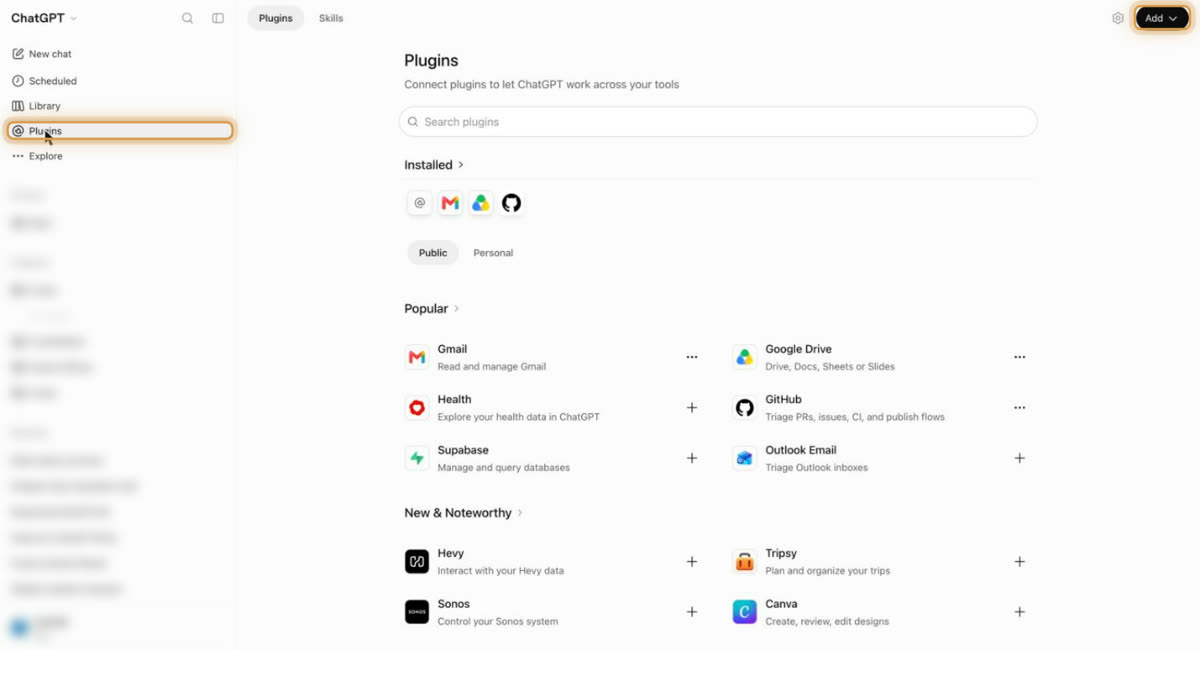
Open Plugins and click Add
In ChatGPT, click Plugins in the left sidebar, then Add at the top right.
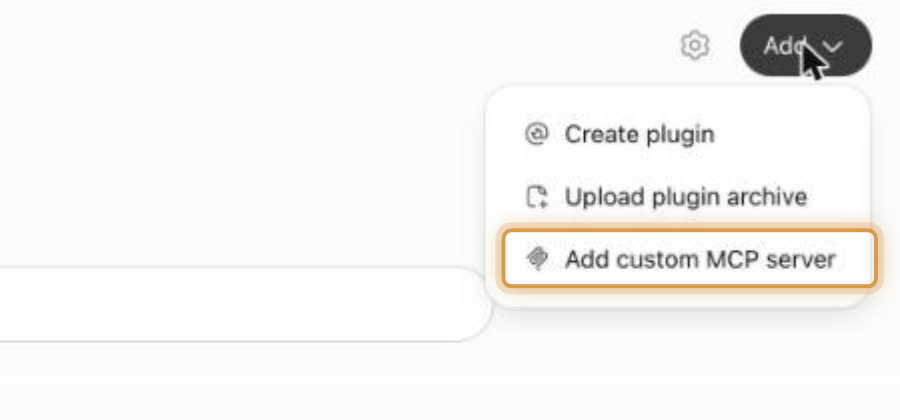
Choose Add custom MCP server
Fill in the name and the server URL
Name:
Fundz. Server URL:https://mcp-app.fundz.net, exactly that, with nothing after .net. Leave Authentication on OAuth, tick I understand and want to continue, then click Create as a plugin.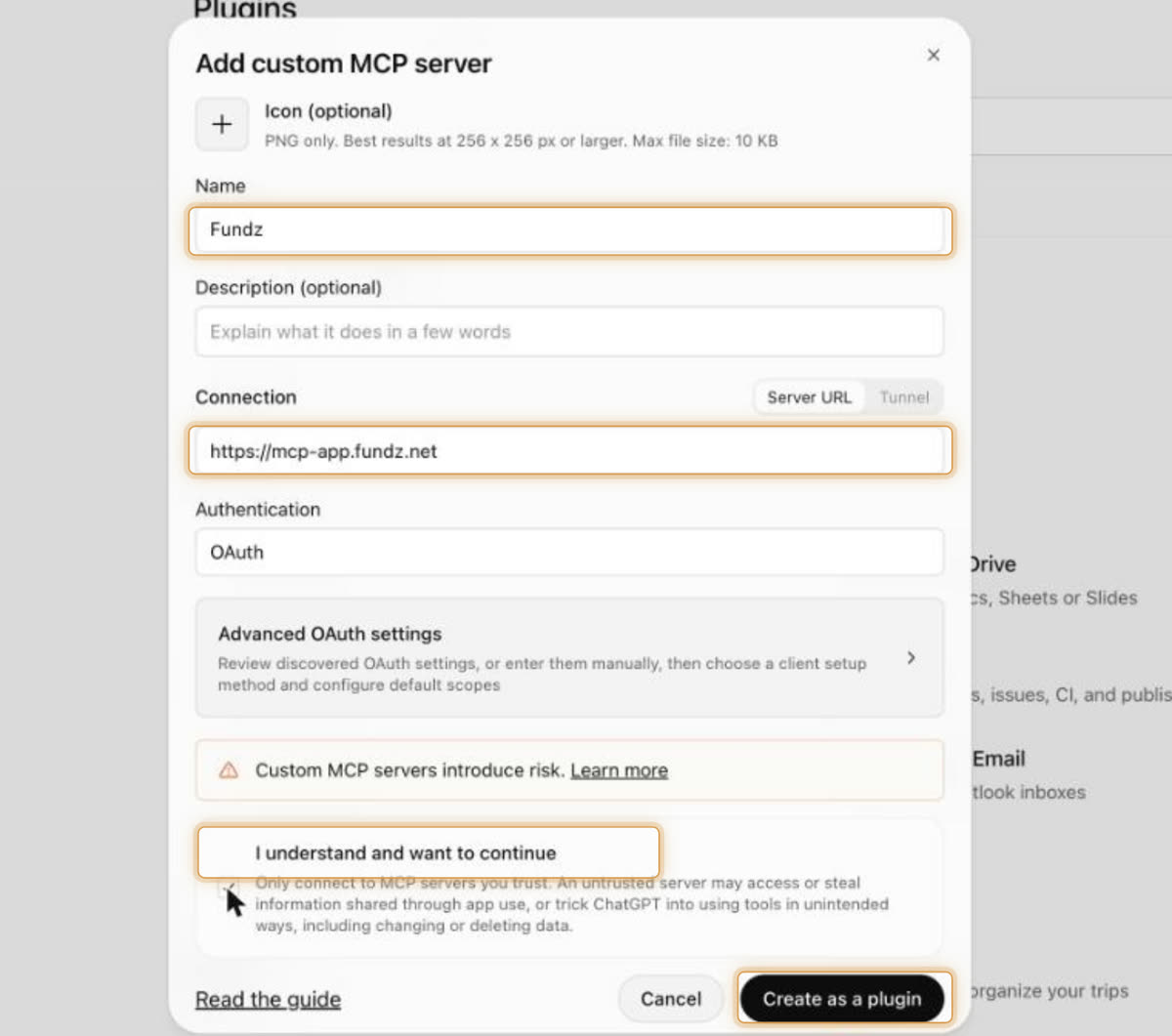
Click Connect Fundz
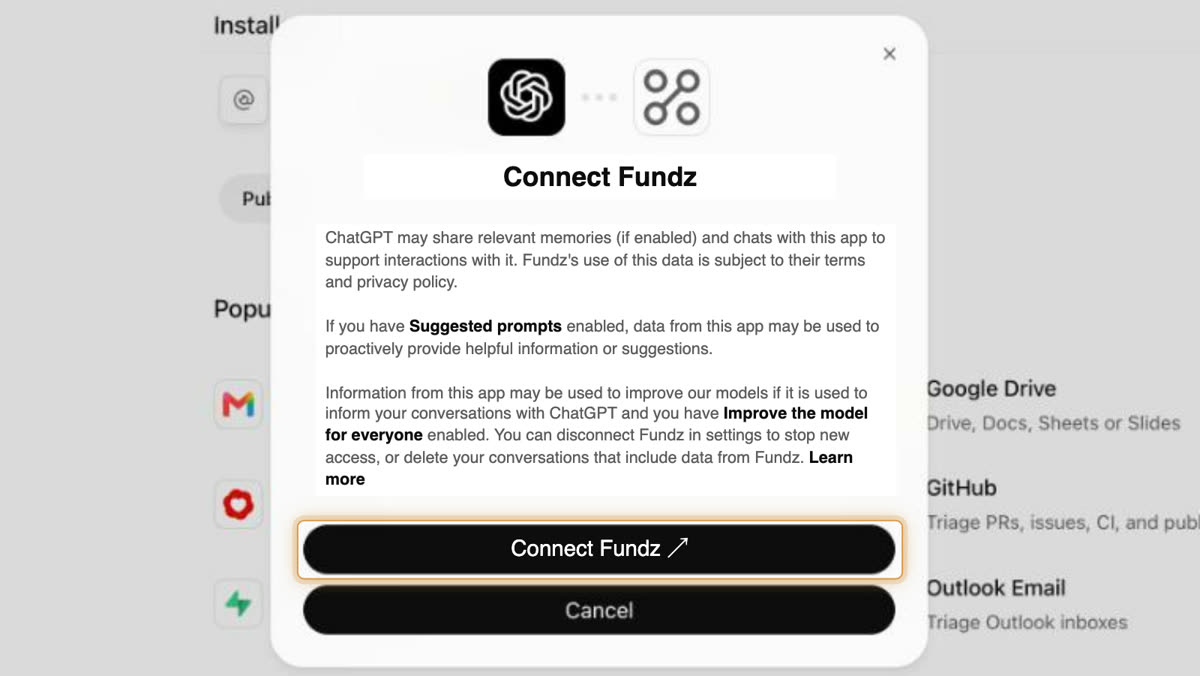
Sign in to Fundz
If you are already logged in to Fundz in this browser, this step is skipped and it connects right away.
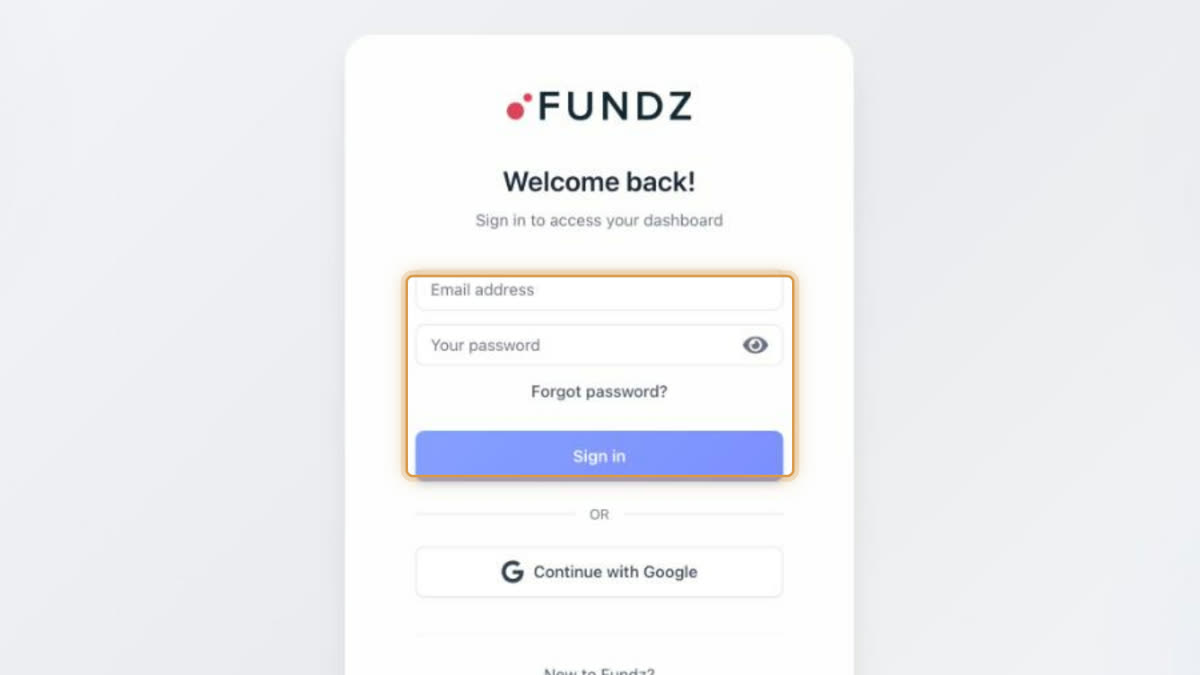
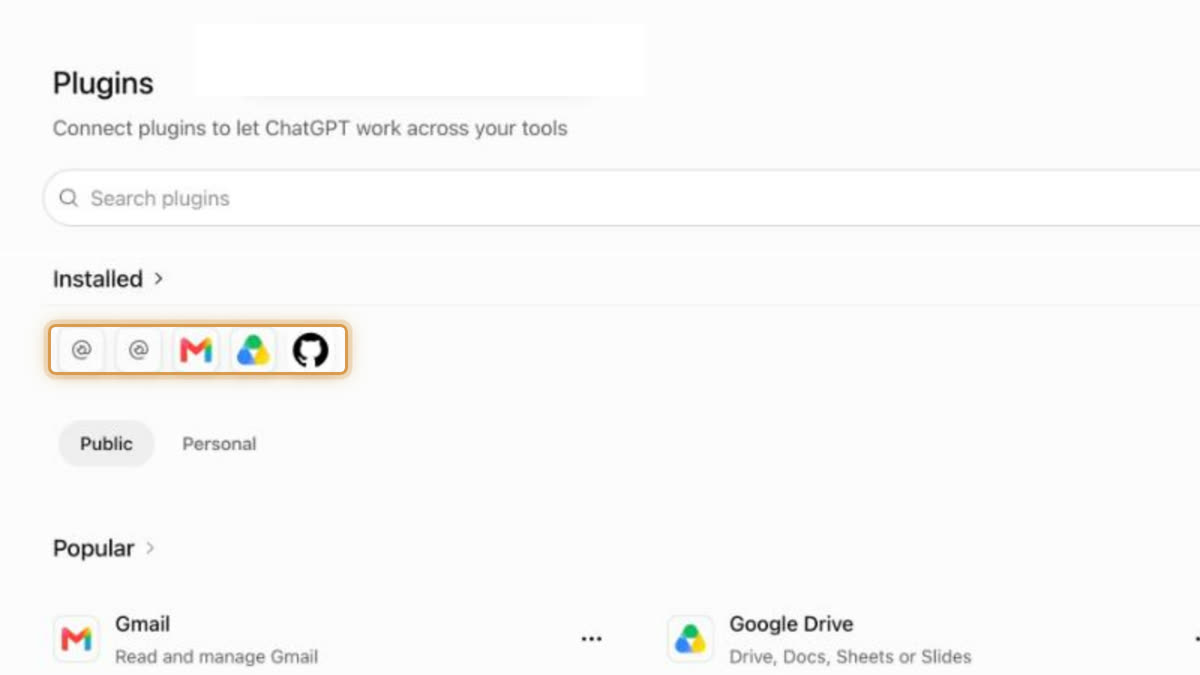
Check it shows under Installed
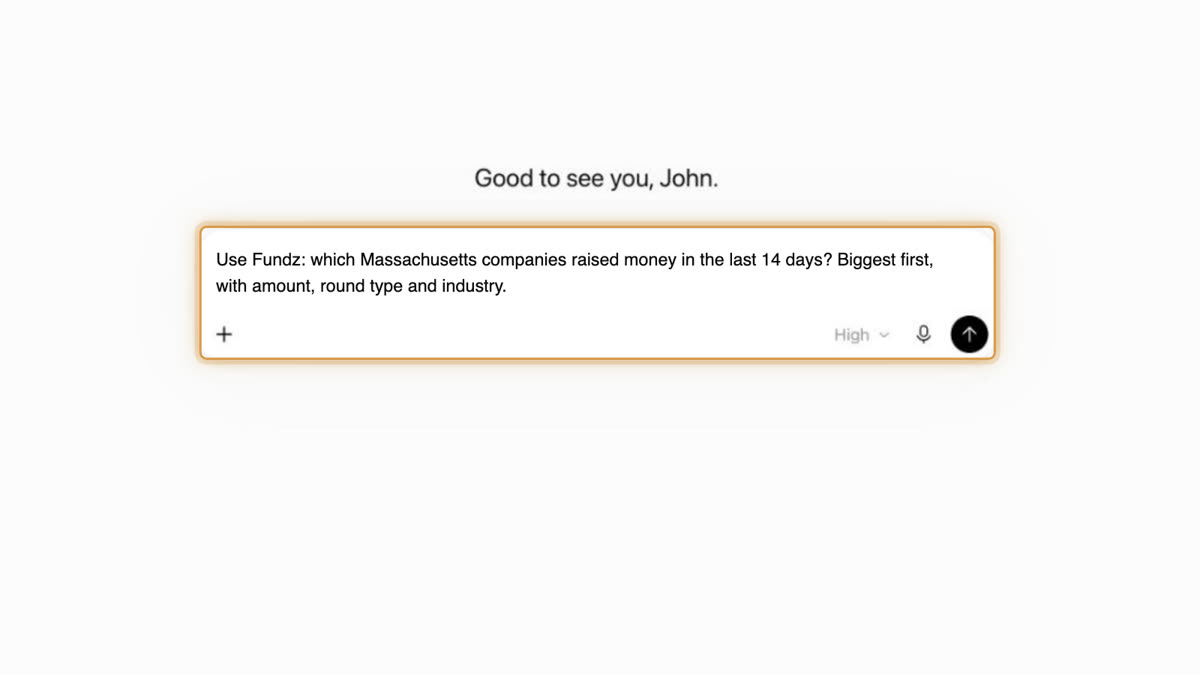
Ask your first question
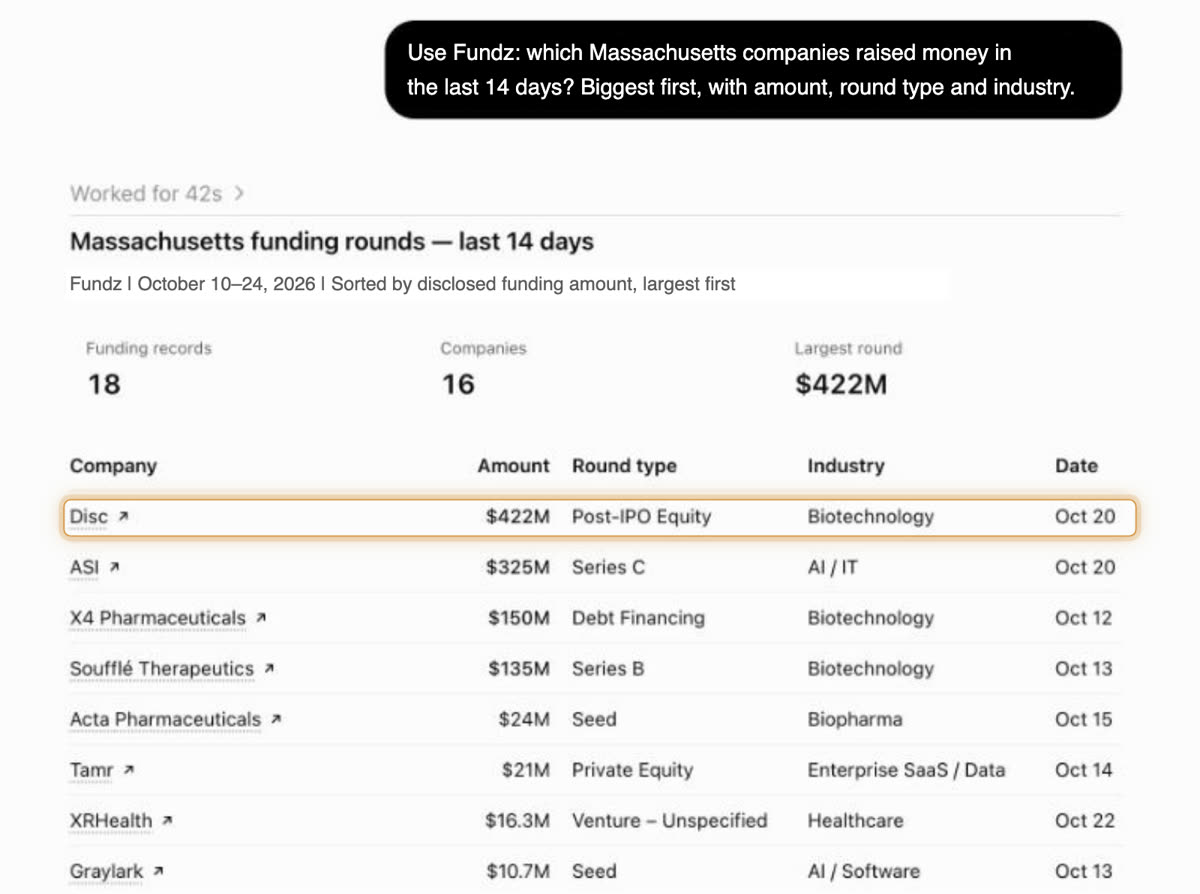
Start a new chat and begin with Use Fundz: so ChatGPT reaches for Fundz instead of a web search.
Do not see Add custom MCP server, or stuck anywhere? Email support@fundz.net and we will walk you through it. Using Claude instead? See the Claude guide.
Questions to start with
Each one is answered from Fundz data and, where it says “my”, from your own targeting and leads.